
Pro
A store owner wants to see sales quickly, often from a phone. But the WordPress dashboard is not easy to use on a small screen. inside SEO has a Quick look app for the phone. It shows the main numbers on one screen.
How much time do you lose on access and checking the data?
When the data is only visible on a computer, decisions get delayed, and logging in to WordPress from a phone is slow.
When data can only be seen on a computer, decisions get delayed. The owner or the agency client asks how sales are going and waits for a report. Logging in to WordPress from a phone is slow. The dashboard is not made for a small screen. Full access to the site also gives more rights than needed just to see a few numbers. Giving a password to more people increases the security risk. So information about orders and channels arrives late. A problem with a campaign or with payment at checkout is noticed days later.
The app is read-only. It does not show customers’ personal data and does not give access to the site settings.
How does inside SEO help?
“Mobile report” gives you the Quick look app on your phone, with a one-time code login and the key numbers on one screen.
- Conversions and traffic → “Mobile report”. QR code and address of the Quick look app.
- The app is added to the phone’s home screen and opens from an icon.
- Sign-in with an email and a one-time 8-character code. No WordPress password.
- “Conversions” and “Traffic” screens. Orders and value, visitors and channels, compared with a previous period and with a chart by day, week or month.
- The „Products“ screen with the best sellers and the „Events“ screen with on-site events, goals, custom events and checkout steps. The “Consent to statistics” card is there too.
- A list of linked phones, a “Disconnect” button next to each one and a button to disconnect them all.
- In the agency, the app also has an “Ads” screen for each client.
Why does this help your rankings?
The app does not change the site. It helps you react in time. When you see that orders from Google are dropping, you check rankings and site errors the same day. When a channel suddenly brings more orders, you know where to put more effort. A quick reaction protects traffic and sales.
Your store on your phone, without logging in to WordPress
inside SEO shows orders, visitors and channels in the Quick look app.
- Install with a QR code
- Sign in with a one-time code by email
- Read-only, no personal data
Open the mobile report
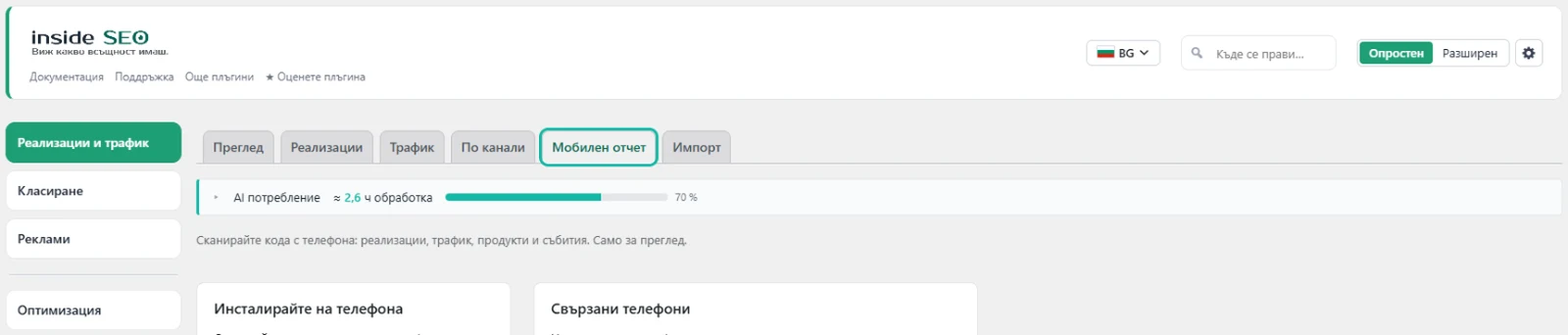
Go to “Conversions and traffic” and choose the “Mobile report” subtab. At the top there is a short description of the Quick look app. It shows conversions, traffic, products and events.
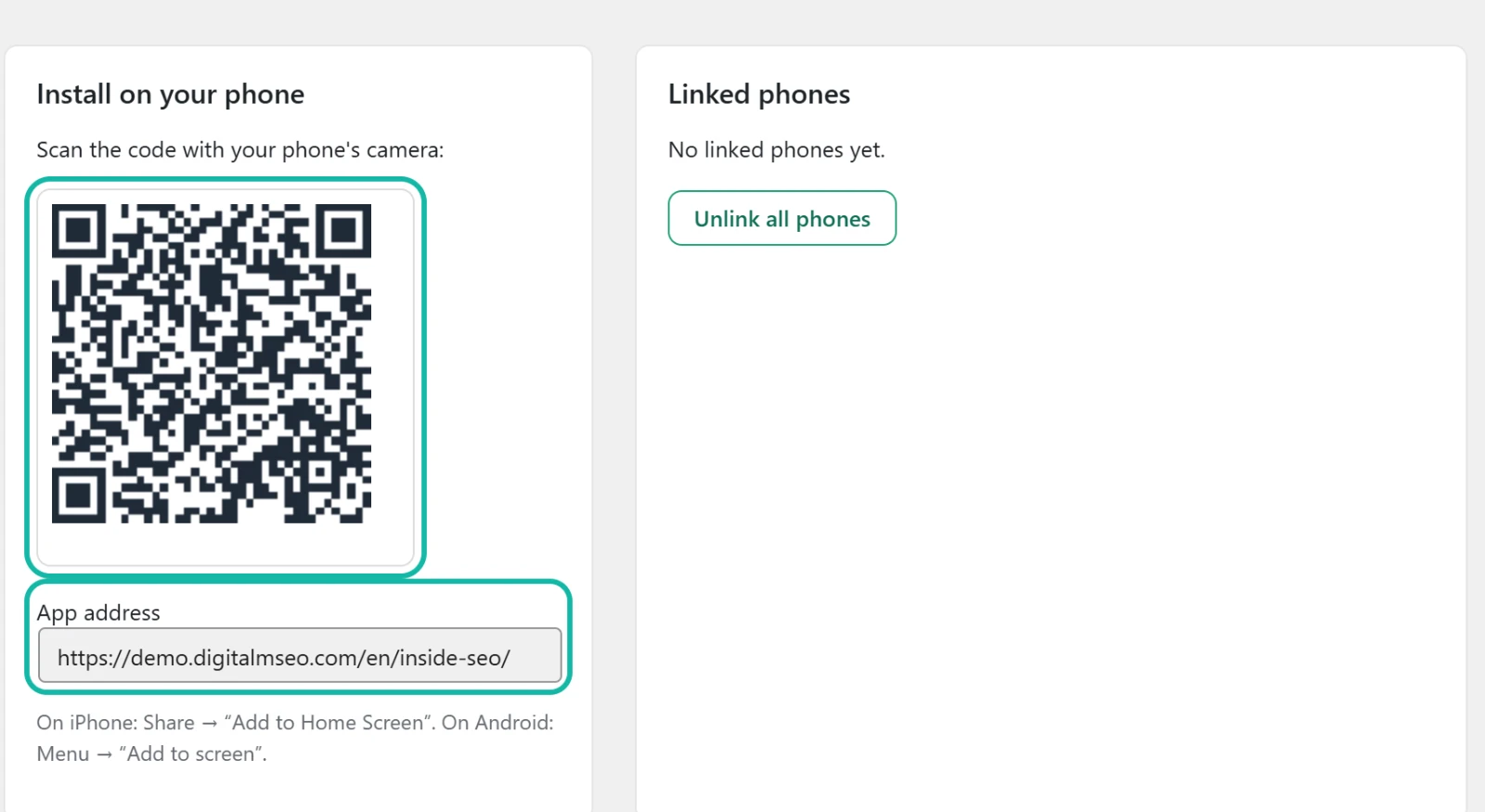
Scan the QR code
The QR code is in the „Install on your phone“ card. Scan it with the phone’s camera. Below the code is the „App address“. You can send it to the client if they are not at the computer. On iPhone, tap „Share“ and „Add to Home Screen“. On Android, open the menu and choose „Add to screen“.
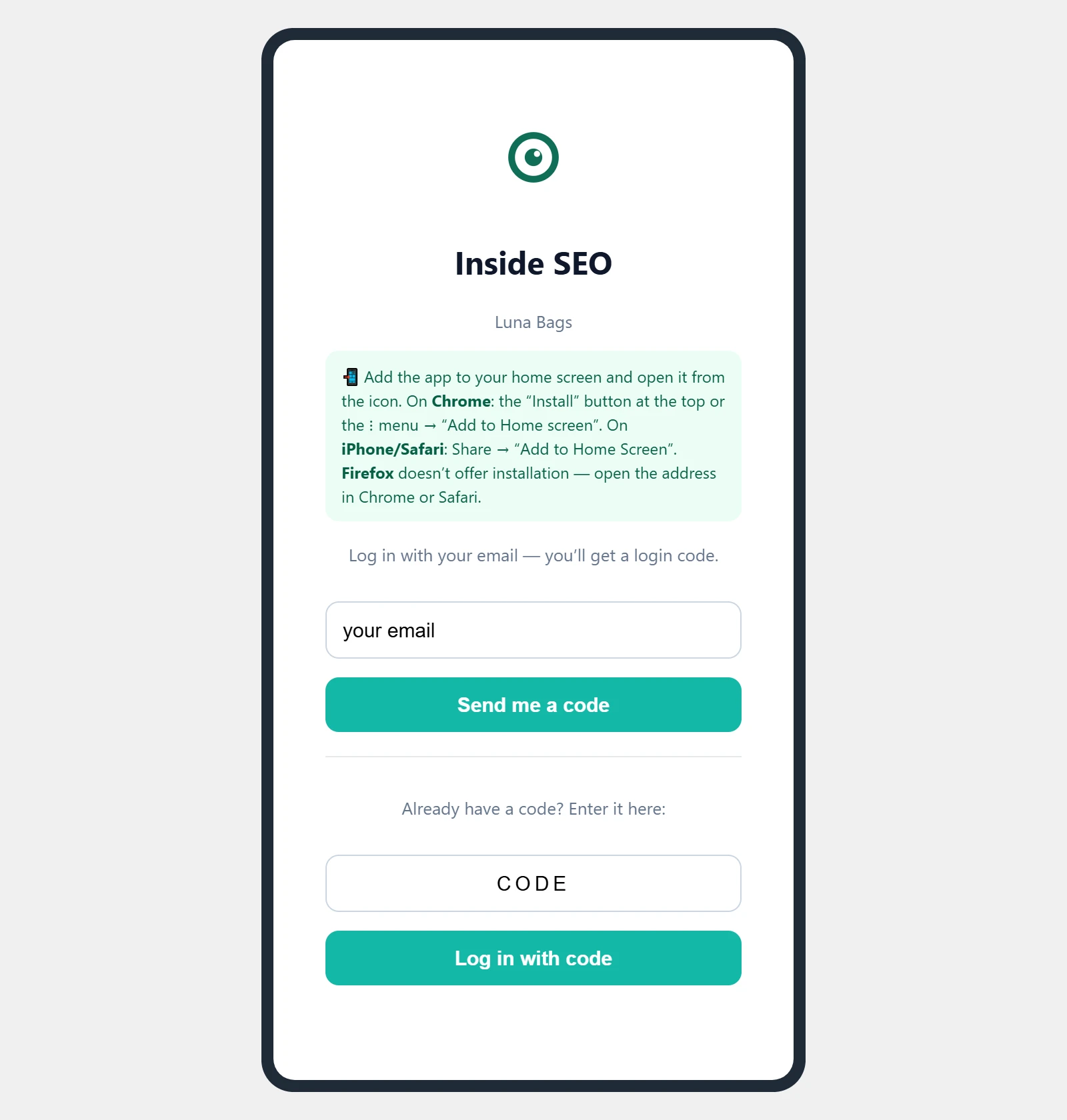
Sign in with the code from the email
The app asks for an email. Enter the email of the store owner or manager and click “Send me a code”. Open the email and copy the 8-character code. Go back to the app, enter the code and click “Sign in with code”. The code is valid for a short time and works once. After signing in, the app shows “Conversions” and “Traffic”. There you see the orders and their value, visitors and channels, compared with a previous period and with a chart by day, week or month. Below are the “Products” and “Events” screens. The period is chosen at the top right.
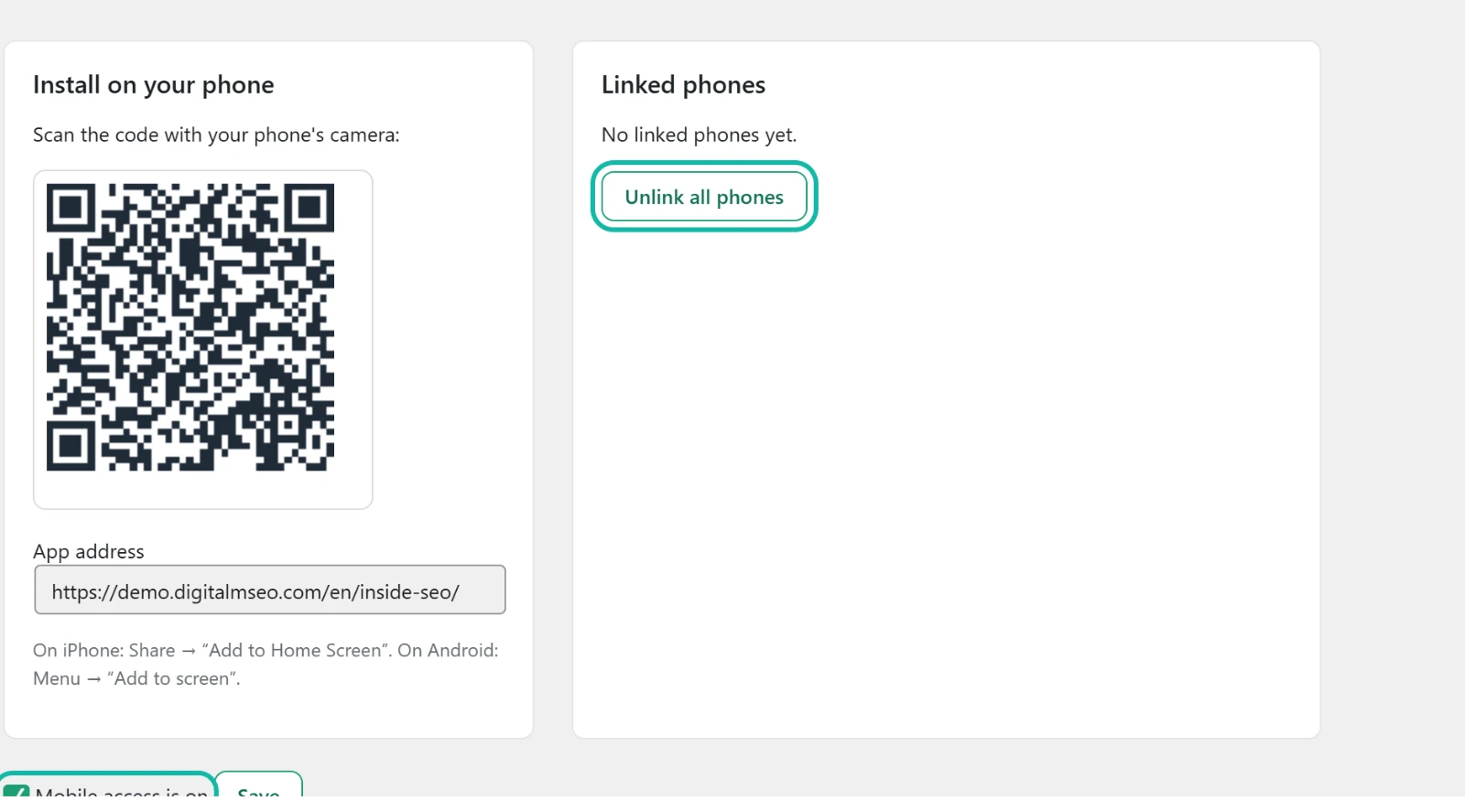
Manage linked phones
The “Linked phones” card shows the phones with access. Next to each phone there is a “Disconnect” button. It stops access for that phone only. The “Disconnect all phones” button stops access for all of them. After that, every phone has to sign in again with a new code. The “Mobile access is on” checkbox and “Save” turn the app on or off for the whole site.
Pro with a 14-day guarantee
With Pro, follow your store’s orders and channels from your phone.
Start for free →Frequently asked questions
Does inside SEO have a mobile app?
Yes. The app is called Quick look. It opens in the phone’s browser and is added to the home screen as an icon. There is no download from an app store.
Who can sign in to the app?
A site user who is an owner or manages the store. The code is sent to their email. If the email does not belong to such a user, no code is sent.
Do I need my WordPress password?
No. Sign-in uses an email and a one-time 8-character code. The code is valid for a short time and can be used only once.
What data can I see on the phone?
Orders and value, visitors and page views, channels, best-selling products, site events, goals and analytics consent. Everything is compared with a previous period. The app is read-only and does not show customers’ personal data.
Why is there no data under „Events“?
Events appear once the Journey add-on is on and the site has collected data. This is a paid feature.
How do I remove access from a lost phone?
In “Mobile report”, click “Disconnect” next to the lost phone. Only that phone loses access. If you do not know which one it is, click “Disconnect all phones”. Then every phone has to sign in again with a new code.
Does the app work offline?
The app keeps the last loaded data. Without a connection it shows that data marked „offline“. New data loads when the connection is back.
Related articles