
Free Pro
After installation, Inside SEO already checks your site. To show accurate data, it needs a few basic settings. This article goes through them in order and shows where each feature is.
How do missing settings hurt your rankings?
A plugin without settings collects data but does not read it correctly for your type of business.
A plugin without settings collects data but does not interpret it correctly. If the site type is wrong, the reports track goals that do not apply to the business. A shop counts inquiries instead of orders, and a service site looks for sales it does not have. When search engines do not learn about changes, new pages wait longer to be crawled. Without a schedule, data becomes outdated and errors are found late. If you do not know where a feature is, an important check is easily skipped.
First connect Search Console and Google Analytics 4 under Settings → „Profiles“. Most reports use this data.
How does Inside SEO help?
“Overview” shows sales, traffic, errors and keywords on one screen, and the site type, IndexNow and the schedule handle the rest.
- „At a glance“ in „Conversions & traffic“ shows sales, traffic, errors and keywords on one screen.
- The site type sets which reports and goals are tracked.
- IndexNow notifies Bing and other search engines whenever a page changes.
- The schedule runs tasks automatically, for example the daily update from Google.
- The Guide finds every feature by task and takes you there.
- The “Simple | Advanced” switch at the top right chooses whether you see only the main tasks or all tabs.
- “Optimization” puts the month’s tasks into one plan, with approval and tracking of the result.
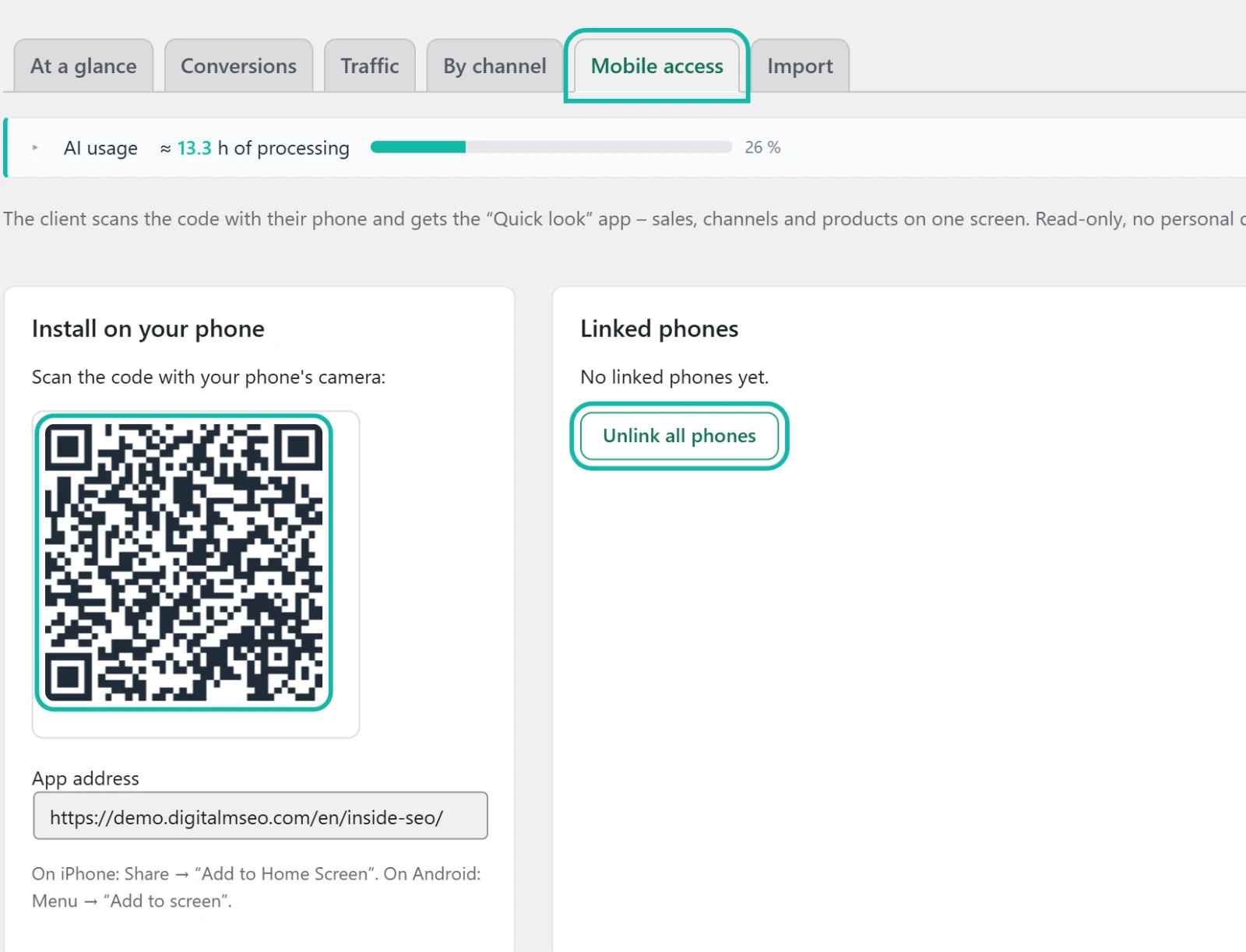
- The mobile report shows the data on your phone.
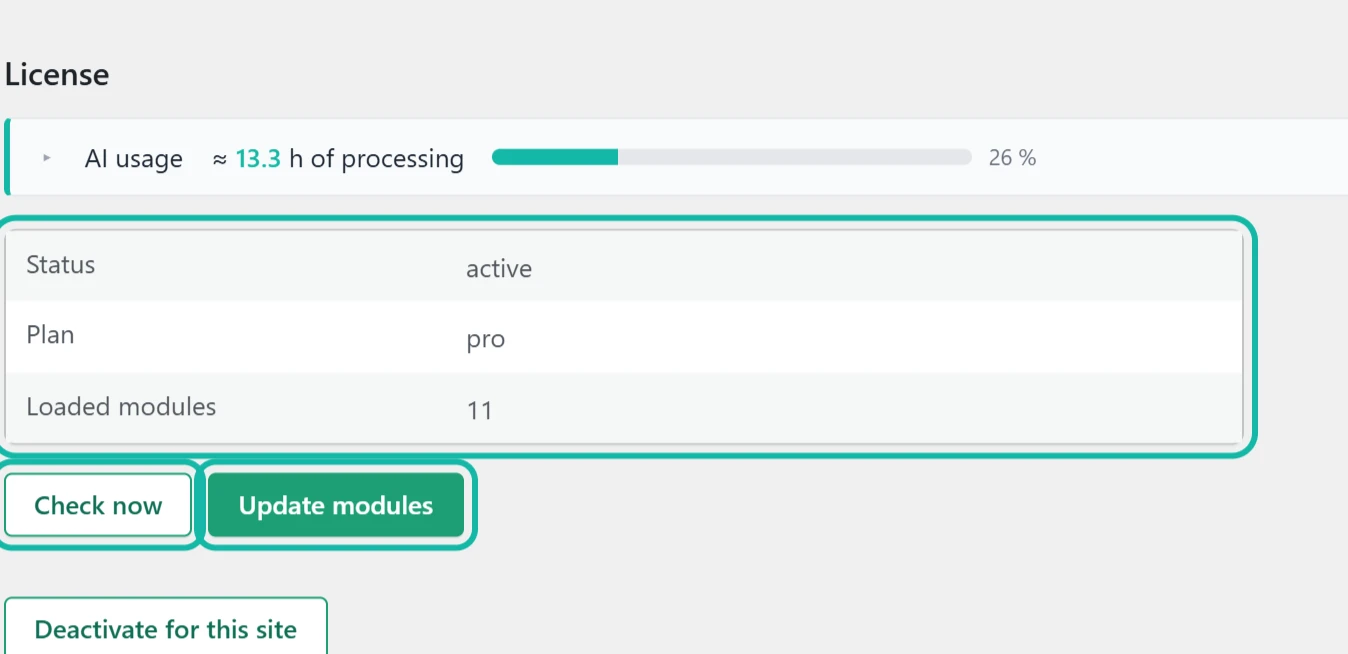
- The License page shows the plan and the loaded modules.
Why does this help your rankings?
Accurate settings give accurate reports. When the plugin knows what kind of site it is, it shows the goals that really bring revenue. Search engines learn about changes sooner. The data updates on its own, so drops and errors are seen in time.
Sales, traffic, rankings and errors in WordPress
Inside SEO shows your site’s sales, traffic, rankings and errors in one place. Pro adds analyses, audits and AI generation.
- The big picture at a glance
- Automatic tasks on a schedule
- A Guide for every task
See the big picture
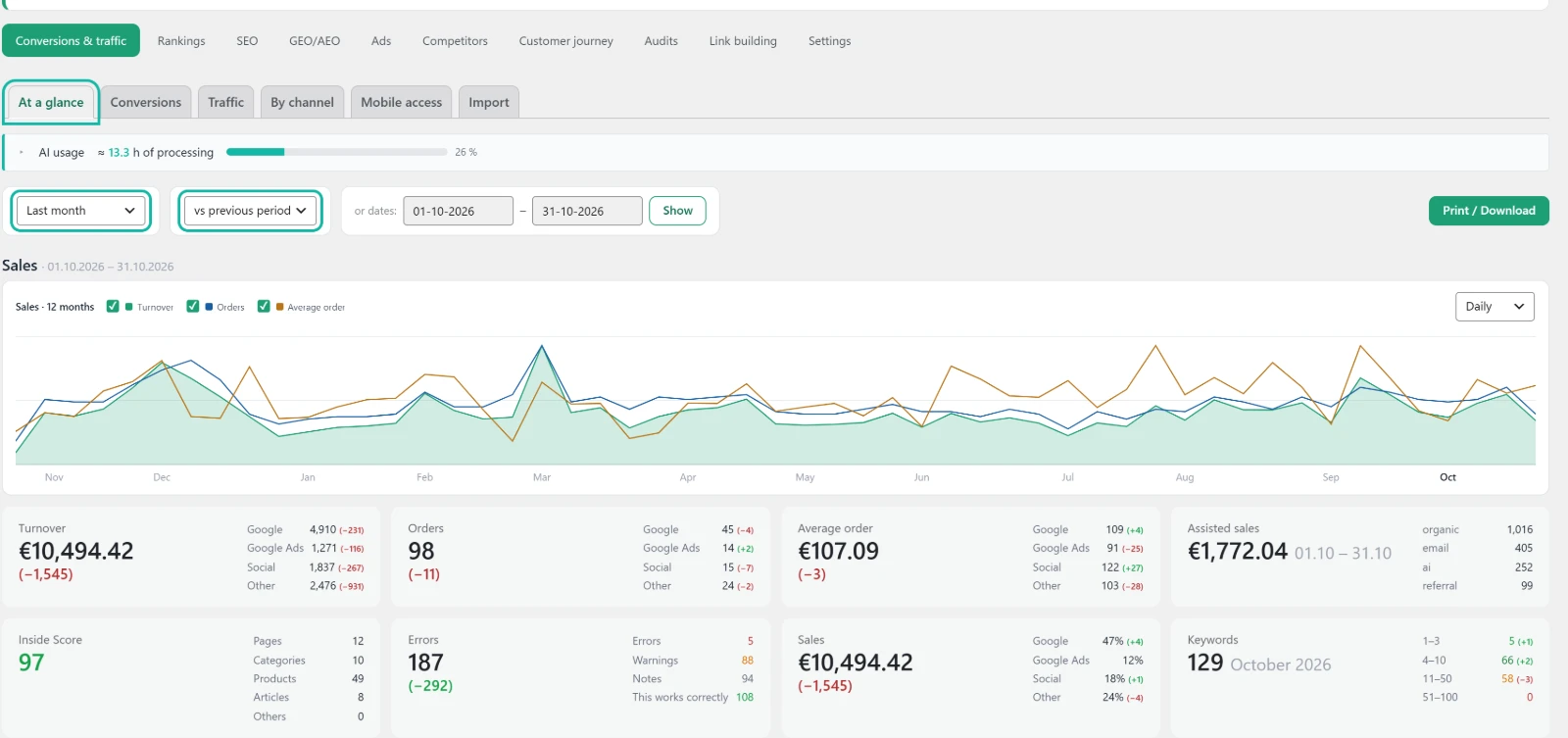
Open „Conversions & traffic“, then „At a glance“. Choose a period, for example „Last month“, and a comparison, for example „vs previous period“. The screen shows sales by month, turnover and orders by channel, Inside Score, errors and keywords. The change from the previous period is in brackets. Below are „Fix priorities“ and „Winners and losers“.
Choose the site type
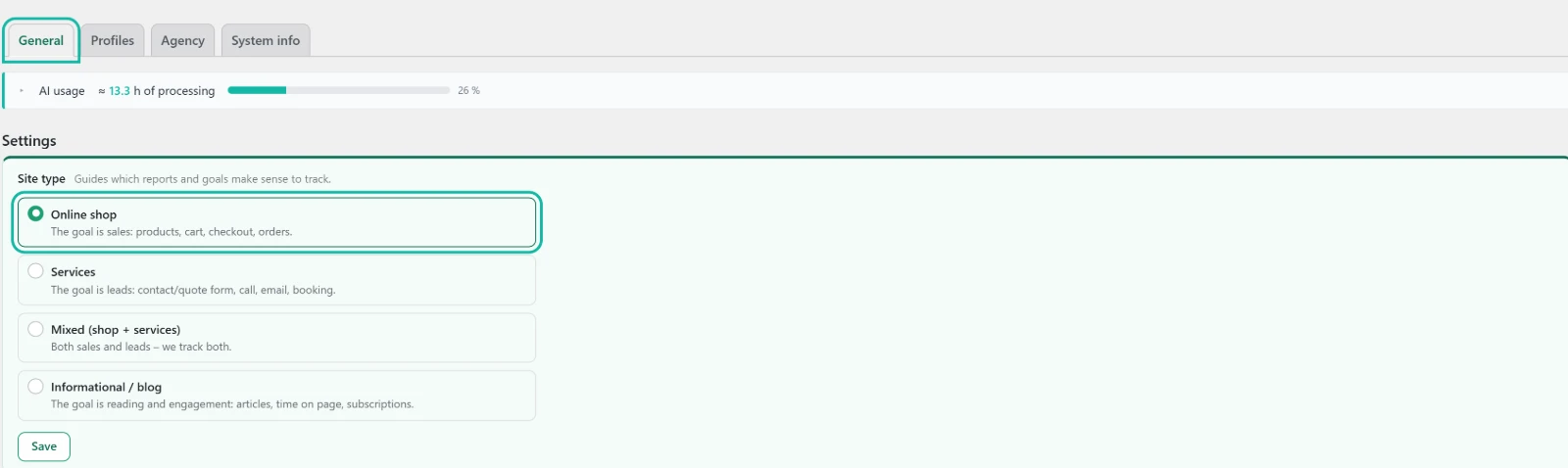
Go to Settings → „General“. In „Site type“, choose „Online shop“, „Services“, „Mixed (shop + services)“ or „Informational / blog“. Press „Save“. Your choice sets which reports and goals are tracked.
Turn on IndexNow
In „Notifying search engines (IndexNow)“, tick „Notify on every change“ and press „Save“. The notice goes to Bing, Yandex, Seznam and Naver. Open the „Key file“ and check that it shows only the key. Google does not support this method.

Set up the task schedule
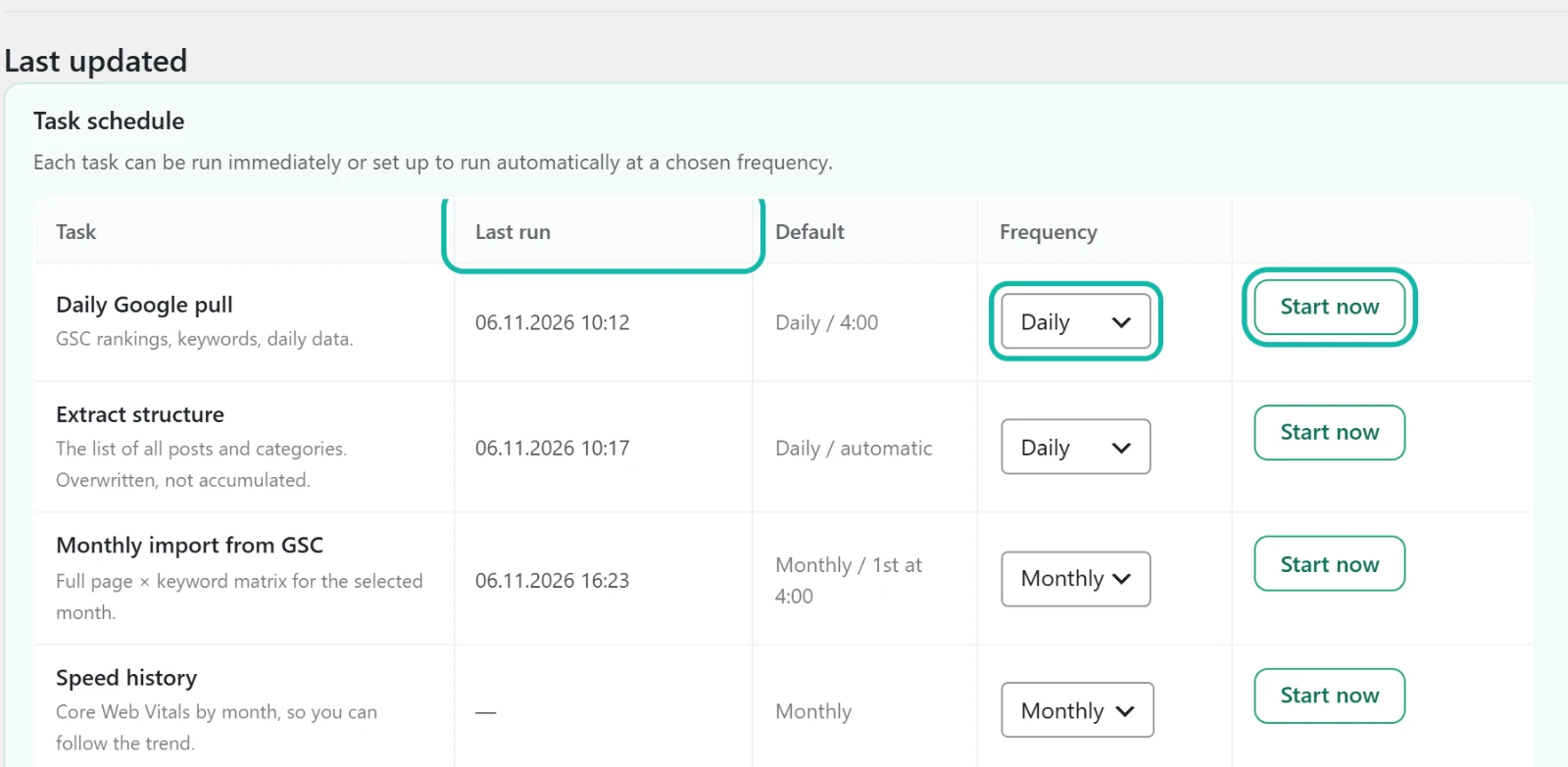
In „Task schedule“, each task has a frequency. Choose „Daily“, „Weekly“, „Monthly“ or „Manual“. „Start now“ runs the task right away. The „Last run“ column shows when it ran last.
Find a feature in the Guide
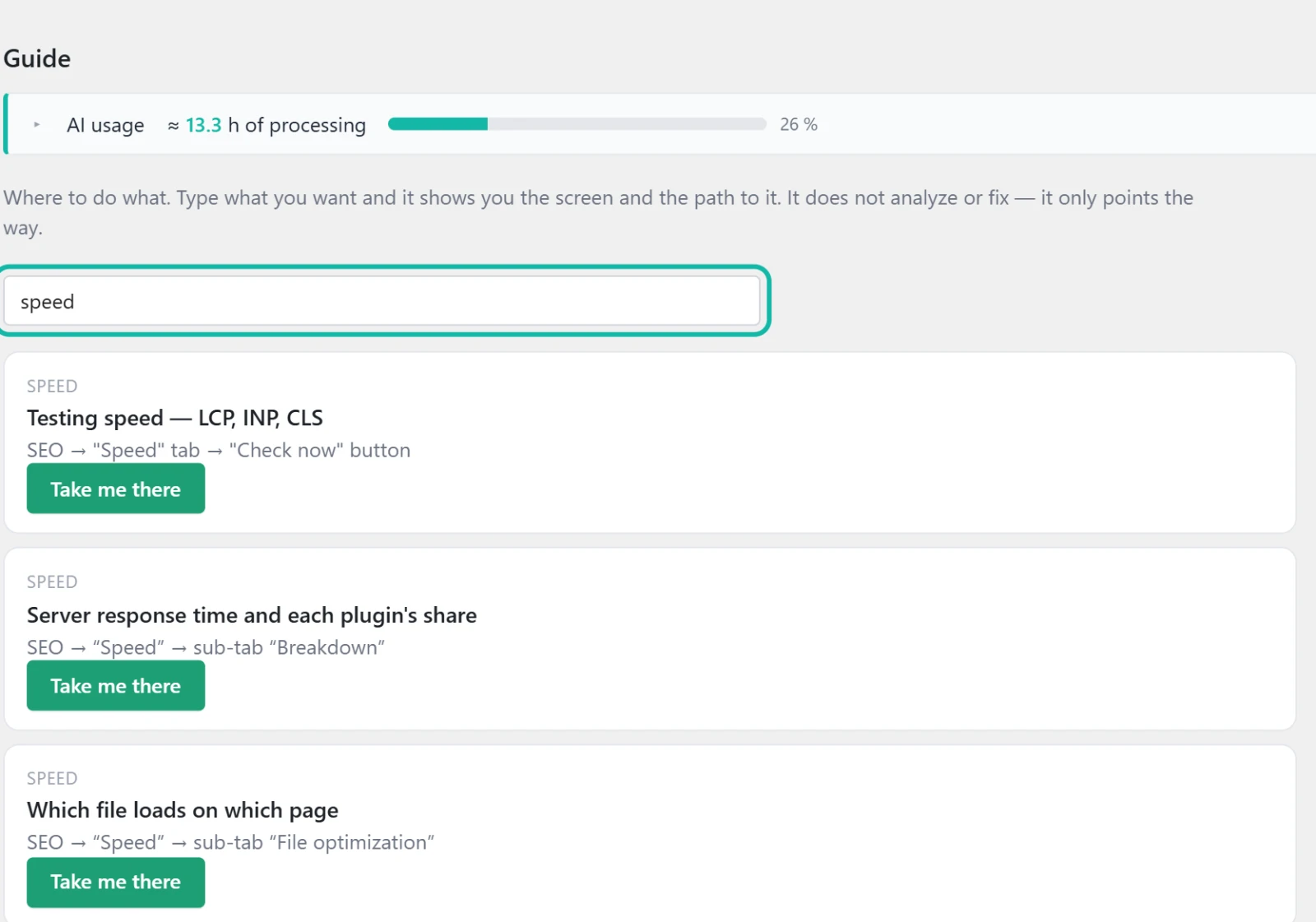
Open the Guide. Type what you want to do, for example „speed“. The list shows the screens and the path to them. Press „Take me there“ to go straight there. The same search is in the „Where to do…“ field at the top right.
Add the plugin to your phone
In Pro, open “Conversions and traffic” → “Mobile report”. Scan the code with the phone’s camera. On iPhone choose Share → “Add to Home Screen”, and on Android Menu → “Add to Home screen”. “Linked phones” shows which phones have access. “Disconnect all phones” stops access for all of them.
Check the license
In Pro, open „License“. It shows the status, the plan and the number of loaded modules. „Check now“ checks the license again. „Update modules“ updates the plugin modules.
What is free and what is in Pro?
The main reports and settings are free. Deep analyses, audits, competitors and AI features are in Pro.
- Free: „At a glance“, the settings, the Google connection, IndexNow, the schedule, the Guide, errors, speed, images and rankings.
- Pro: deep analyses, monthly audits, competitors, visibility in AI, the customer journey, spelling, the mobile report, link building and AI text generation.
Pro with a 14-day guarantee
With Pro, see the full picture of your site from day one.
Start for free →Frequently asked questions
What should I set up first?
Connect Google under Settings → „Profiles“. Then choose the site type. You can do the other settings later.
Do I need another SEO plugin?
Inside SEO reads and writes the meta fields of your active SEO plugin, for example Yoast or Rank Math, without duplicating them.
Which site type should I choose?
Online shop if the goal is orders. Services if the goal is inquiries and calls. Mixed if you have both. Informational or blog if the goal is reading.
Does IndexNow work for Google?
No. Google does not support IndexNow. For Google, use an indexing request in Search Console.
How do I find a specific feature?
Use the Guide or the „Where to do…“ field at the top right. Type the task in a few words.
Is there a phone app?
inside SEO is added to the phone’s home screen with the code in “Mobile report”.
How often is the data updated?
According to the task schedule. By default, the daily update from Google runs every day at 4:00.
Related articles